Introduction
For business success, building and nurturing its customer base is essential. And, enabling them with positive experiences is the way to do it.
That’s why businesses leverage online communities to connect with their customers and make them feel heard. However, a typical community platform isn’t equipped with the advanced features needed to deliver seamless assistance to customers. So, they leverage support platforms to utilize customer data and build sustainable relationships.
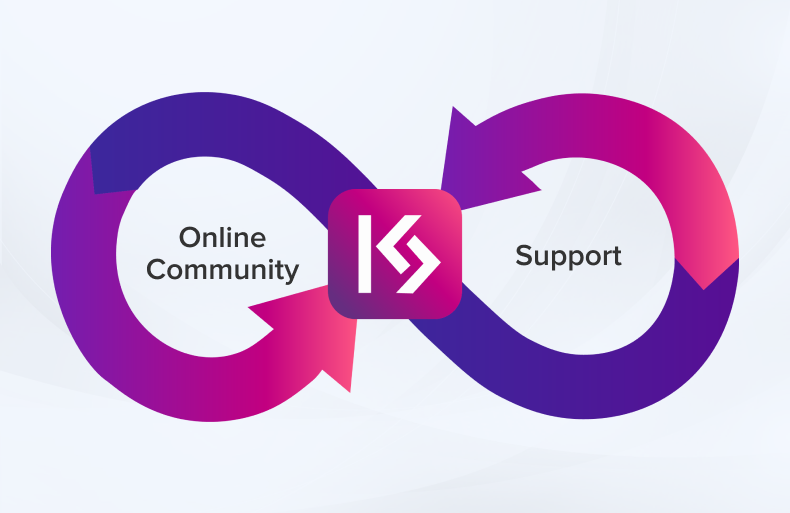
However, dependency on two platforms can hamper overall business efficiency. Therefore, integrating an online community with a support platform can be the most effective way to overcome this challenge. But what makes it possible? The right integration tool!
Keeping that in mind, our team developed this innovative community support integration tool, KaseSync.
Encapsulating a rich suite of powerful features, KaseSync streamlines case management, enhances collaboration, and empowers organizations to deliver faster, consistent support.
Let’s discuss some of its prominent business in this blog post.use cases:
TL;DR:
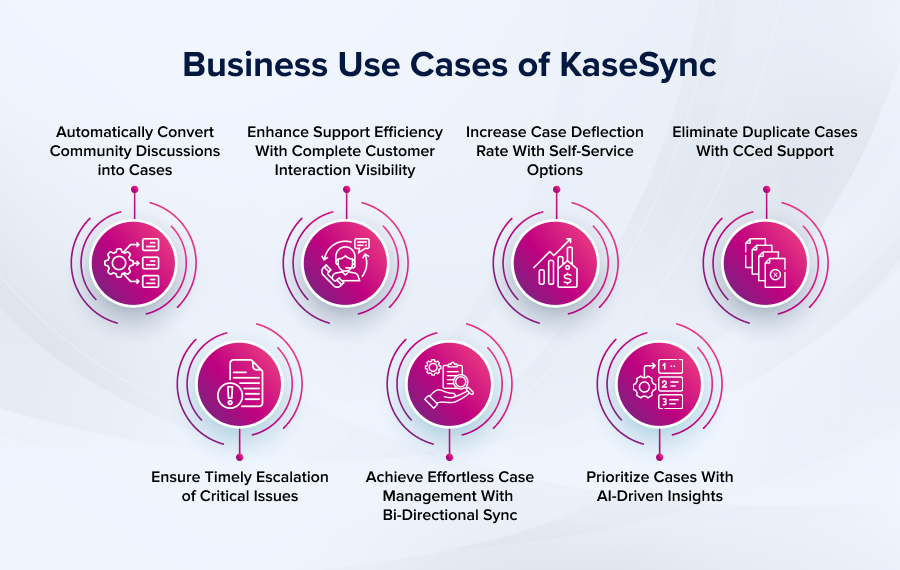
KaseSync’s seven core use cases include:
- Auto-converting community discussions into cases: Reduces manual work and boosts resolution efficiency.
- Timely SLA-based escalation: Automatically escalates cases on SLA breaches.
- Complete customer interaction visibility: Gives support teams a full view of past discussions, KB articles, and cases for more personalized support.
- Bi-directional case sync: Keeps updates on the community and support platform aligned in real time.
- Self-service case deflection: Surfaces relevant KB articles and FAQs via suggestive search, letting users self-resolve.
- AI-driven case prioritization: Uses sentiment analysis to flag urgent/sensitive cases first and surface negative trends.
- Duplicate case elimination via CCed support: Merges related CCed issues into a single case.
Top 7 Business Use Cases of Community-Support Integration with KaseSync
1. Automatically Convert Community Discussions into Cases
KaseSync effortlessly converts community-reported issues to cases, cutting down manual work and boosting resolution efficiency. By streamlining workflows, it encourages user participation and deepens community engagement.
2. Ensure Timely Escalation of Critical Issues
KaseSync automatically escalates cases when SLA breaches are detected, ensuring urgent issues are addressed without manual intervention. This streamlines support operations, enhances efficiency, and helps maintain customer satisfaction.
3. Enhance Support Efficiency With Complete Customer Interaction Visibility
KaseSync provides support teams with a complete view of customer interactions, including knowledge base articles, discussions, and past cases. This enables agents to quickly assess prior self-service efforts and deliver more efficient, personalized support experiences.
4. Achieve Effortless Case Management With Bi-Directional Sync
Seamless collaboration depends on shared visibility. KaseSync ensures real-time bi-directional data sync between your community and support platforms, so updates on one side instantly reflect on the other, keeping users and support teams aligned at every step.
5. Increase Case Deflection Rate With Self-Service Options
If your members are unable to find the right resource when needed, having a rich resource library is all in vain. KaseSync comes with a suggestive search option that fetches relevant resources like knowledge base articles, FAQs, and more, empowering users to resolve issues on their own and significantly reducing case volume.
6. Prioritize Cases With AI-Driven Insights
With KaseSync’s AI-powered sentiment analysis, support teams can instantly prioritize cases based on the emotional tone of customer posts. This ensures that urgent or sensitive issues are addressed first. Additionally, it also helps teams track negative case trends, identify process gaps to drive data-driven improvements, ultimately boosting both customer satisfaction and support efficiency.
7. Eliminate Duplicate Cases With CCed Support
Duplicate cases can clutter your support system and slow down your response time. With KaseSync’s CCed case management, related issues are intelligently merged into a single case, keeping all stakeholders informed without creating unnecessary case volume. This not only streamlines workflows but also enhances support efficiency.
Conclusion
KaseSync’s seven business use cases demonstrate how a single integration tool can address multiple pain points across the support lifecycle, from automated case creation to AI-driven prioritization. By combining bi-directional sync, self-service enablement, and intelligent case handling, KaseSync helps businesses reduce manual work, avoid duplicate efforts, and respond to customers faster. For businesses juggling both community engagement and support delivery, this range of use cases shows how one connected system can simplify operations while consistently improving the customer experience.

Tags
Frequently Asked Questions
Sentiment analysis tools generally scan the language and tone of customer posts for negative or urgent cues, assigning priority scores that help support teams triage cases without needing to read every post manually.